All work

Vimmoji

An emoji palette and short input codes for Sublime Text.

Source on GitLab Sublime Text · MPL-2.0 · v0.7.0
Vimmoji's palette open in Sublime Text over the myVimmoji settings file, with face typed in its search box: six emoji rows from :facepalm: [ff] and :yawning_face: [eyn] down to :neutral_face: [enu], each with its code, category, and aliases on a second line.

Vimmoji puts an emoji palette and short input codes in Sublime Text. Browse when you can't remember a name, and the palette shows the code to use next time. A Vim-like buffer takes a code or name fragment and inserts the match on Enter. Or type a colon token such as :shrug: and a listener replaces it.

The bundled map has 111 entries and 269 aliases, with settings for additions and overrides.
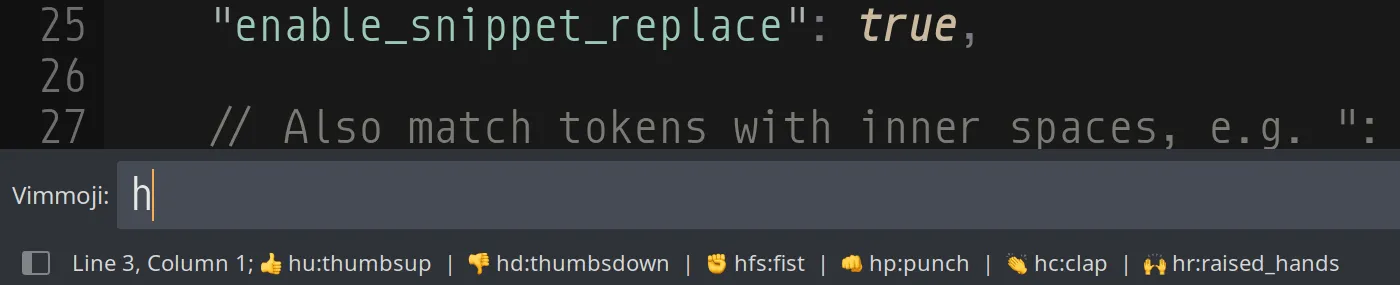
The bottom of the Sublime Text window with Vimmoji's input panel open and h typed; the status bar lists six candidates, each after its emoji: hu:thumbsup, hd:thumbsdown, hfs:fist, hp:punch, hc:clap, and hr:raised_hands.